
Team and employment costs
Record named people, roles, worker classification, pay basis, employer on-costs, commission rules and known absence.
Bring teams, rotas, services, chairs, rooms, equipment, costs, capacity and performance into one structured plan. Premium is built for a growing salon business with up to five owned locations.
No subscription · Data stays on your device · 12 months of support included
No programming knowledge needed. Download the package for your computer and follow the included setup guide.
Your figures stay locally on your device. Normal use does not require a customer account or an internet connection after setup.
Twelve months of email support are included, with a target first response within three UK business days.
Unsure whether your computer is suitable? Ask us before buying.
What your licence includes, support and 90-day upgrades
What happens next: the buy button opens this edition on Payhip. Complete secure checkout, download the package for your computer, then follow the included setup guide. Windows and Mac downloads are included.
Real product screens
See how people, capacity, costs and proposed prices connect in a simple one-owner example.
Fictional example. Actual planner screens with fictional figures. Your own inputs determine your results.
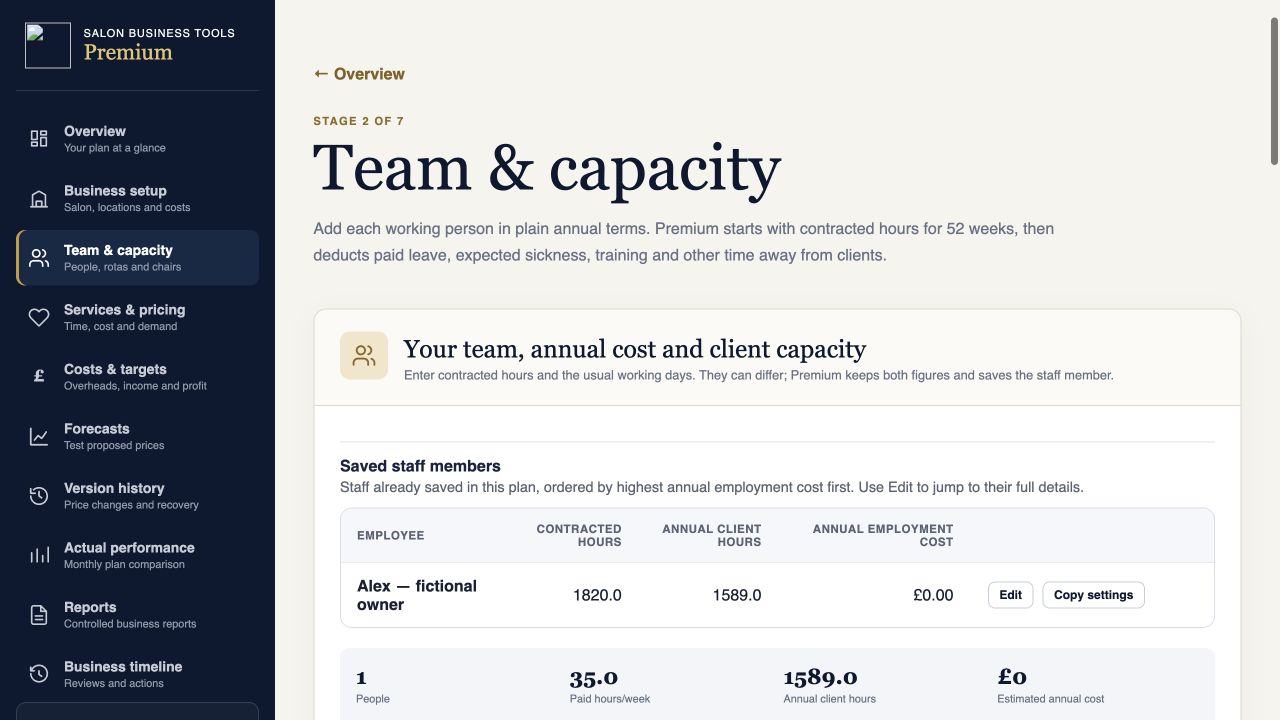
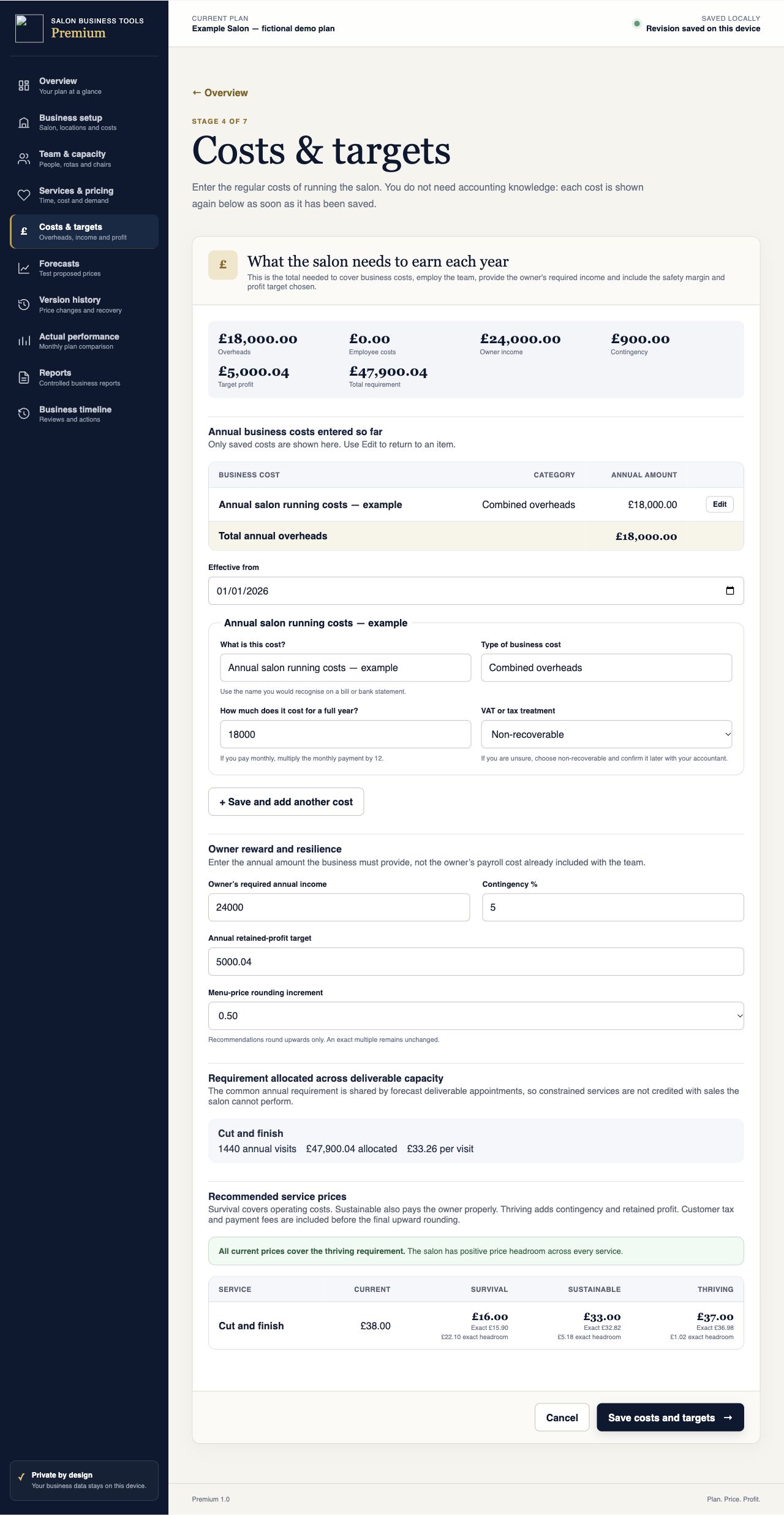
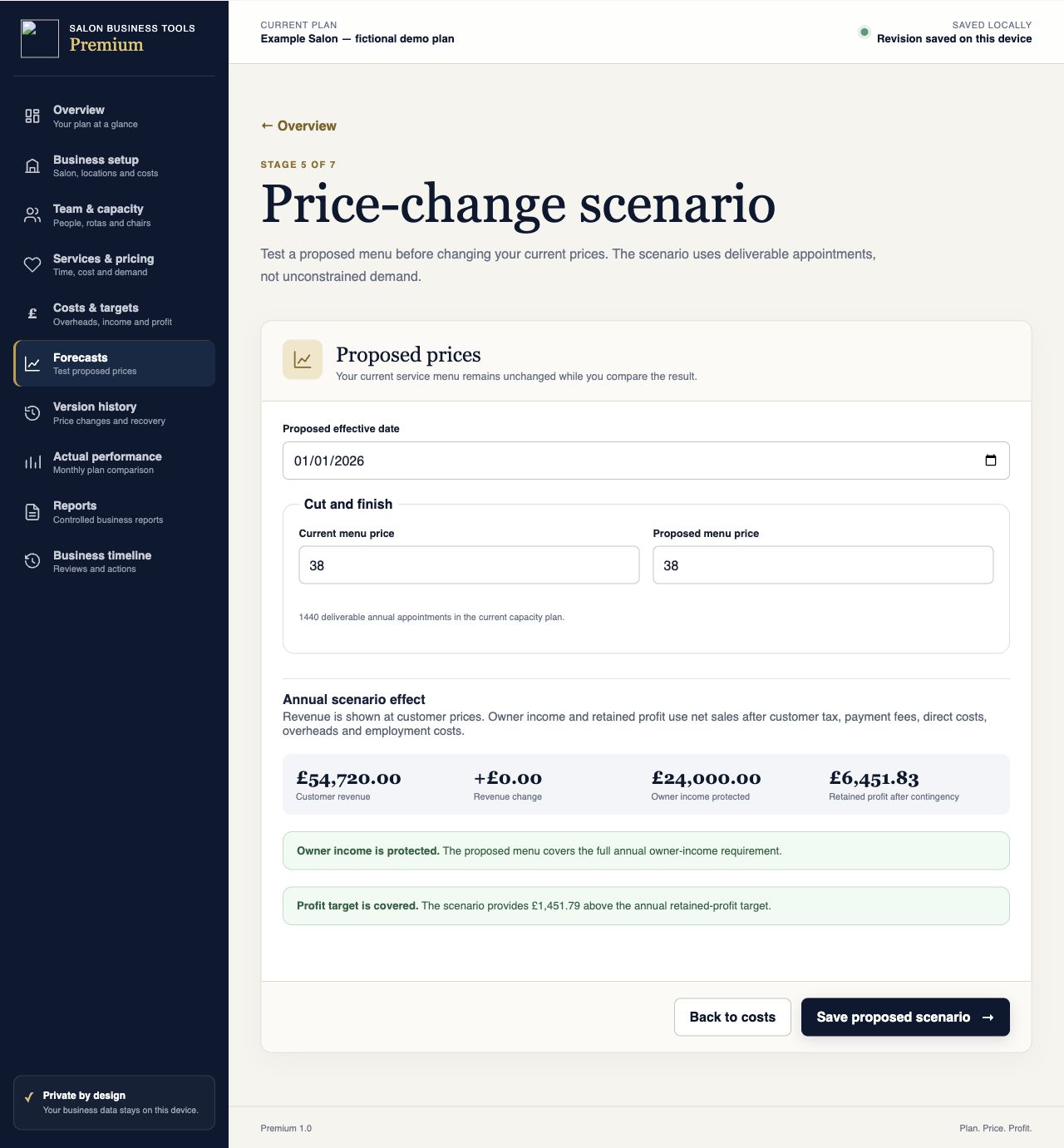
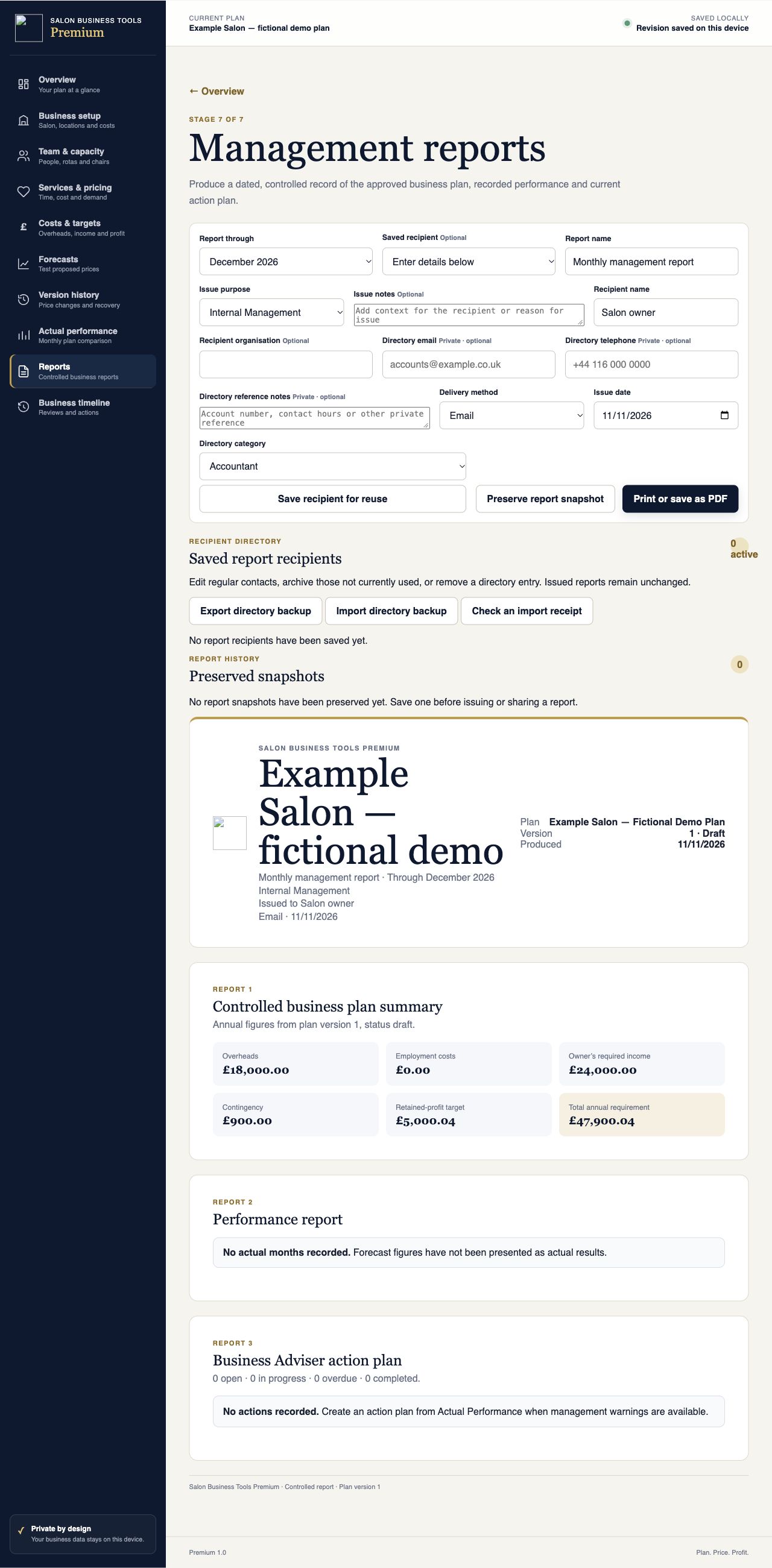
Scroll within a screenshot to see more, or open it at full size. The planner runs locally on a supported computer. Check the setup information and product questions below before buying.
Who Premium is for
Premium is designed for an established or growing salon business where individual people, resources and locations materially affect the plan. It can model one location in depth or consolidate up to five locations owned and operated by the same business.
It is useful when you need to see whether demand can actually be delivered by the qualified team and available resources, what price protects owner income and retained profit, or why actual results are moving away from the approved plan.
Record named people, roles, worker classification, pay basis, employer on-costs, commission rules and known absence.
Separate paid hours from client-bookable hours and see the effect of rotas, holidays, sickness, training and other non-client time.
Link services to the team members who can deliver them, with full diary time, reusable processing time and direct costs.
Model styling chairs, rooms and equipment, including whether processing time releases or continues to occupy a resource.
See each location clearly, allocate shared costs and consolidate results without allowing one location’s loss to disappear.
Plan overheads, staffing, owner income, contingency, retained profit, capital spending, borrowing and cash timing.
What it brings together
Premium connects the work the business intends to sell with the people and resources needed to deliver it. That makes capacity practical rather than theoretical.
Its pricing levels distinguish survival, sustainable and thriving requirements. Customer tax, direct costs, payment fees, staffing costs, owner income, contingency and retained profit remain separate so the result can be understood.
A controlled planning cycle
Set locations, departments, people, rotas, resources, services, costs and targets as one connected business plan.
Use Current, Revised and Target scenarios, price-change events, recruitment changes, inflation and other dated assumptions.
Enter monthly actuals, compare them with forecast, identify material warnings and turn them into reviewed management actions.
What the results show
Survival, sustainable and thriving price recommendations with current-price shortfall or headroom.
Demand, deliverable appointments, unmet demand and the binding workforce, chair, room or equipment constraint.
Location and department results, allocated shared costs and a reconciled consolidated business position.
Monthly, quarterly and year-to-date appointments, sales, contribution, operating profit, owner-income cover and retained profit.
A reconciled explanation of what caused the revenue variance, without treating missing months as zero trading.
Prioritised management warnings, review dates, progress states and a combined management diary.
Cash roll-forward, tax timing, borrowing, capital spending and minimum-cash risks even where the year appears profitable.
Business-plan, performance and action-plan reports, with print/PDF support and preserved report history.
Approved versions, preserved menu recovery points, audit history and portable backups that restore without overwriting existing plans.
Included with Premium
Keep using the supplied Premium version. Maintenance and feature updates are included for 12 months under the supplied terms.
Twelve months of email support are included, with a target first response within three UK business days.
The plan, revisions and reports remain local. Use the portable backup route to keep a separate copy and recover safely.
Before you buy
Yes. It covers one business with up to five locations owned and operated by that same business. It is not a multi-client product for unrelated salon businesses.
No. It models employment costs and business performance for planning. It does not run payroll, submit tax returns, produce statutory accounts or replace professional advice.
Yes. Premium includes the supported Professional upgrade-data route so the move does not require rebuilding every compatible part of the plan.
Extract the Premium Mac ZIP and keep all files together. Python 3 is required. Double-click Start-Premium-Planner.command and keep its Terminal window open. Premium opens locally at http://127.0.0.1:8768/. Use the same browser and address, and keep regular JSON backups.
See README-MAC.txt inside your ZIP for full instructions.
Yes. Premium has been tested and verified on Mac and also supports Windows 10 and Windows 11. Use the package and launch instructions for your operating system.
Mac and Windows downloads are now included with purchases on Payhip and Etsy. Choose the package for your computer and read README-MAC.txt before launching. For setup help, email sales@salonbusinesstools.co.uk. iPhone and iPad are not covered by this Mac setup.
No. Premium is a local planning application. Live accounting, booking, payroll and bank integrations, cloud collaboration, customer appointment booking, CRM and operational stock control are outside Premium 1.0.
No customer account, cloud database, analytics or salon-data upload is required. The application and its records work locally on the device.
Download regular portable backups, particularly before clearing browser data or changing computer. Local plan data remains the customer’s responsibility.
Premium · £119.99 one-off
Tested on Windows and Mac. Work locally, with no subscription or customer account. Mac and Windows downloads are included. Choose the package for your operating system.
Check computer and setup requirements before buying.
Checkout on Payhip, download your files, then follow the included setup guide.