
Build the service menu
Record categories, services, price levels, complete appointment time, reusable time, product, waste, consumables and payment fees.
Plan your whole service menu before opening or when reviewing your business. Test proposed prices, appointment numbers and capacity against your costs, owner-income needs and retained-profit target. Professional brings the plan together for one salon location.
No subscription · Data stays on your device · 12 months of support included
No programming knowledge needed. Download the package for your computer and follow the included setup guide.
Your figures stay locally on your device. Normal use does not require a customer account or an internet connection after setup.
Twelve months of email support are included, with a target first response within three UK business days.
Unsure whether your computer is suitable? Ask us before buying.
What your licence includes, support and 90-day upgrades
What happens next: the buy button opens this edition on Payhip. Complete secure checkout, download the package for your computer, then follow the included setup guide. Windows and Mac downloads are included.
Real product screens
Follow a two-service menu from costs and timings to a price-change comparison.
Fictional example. Actual planner screens with fictional figures. Your own inputs determine your results.
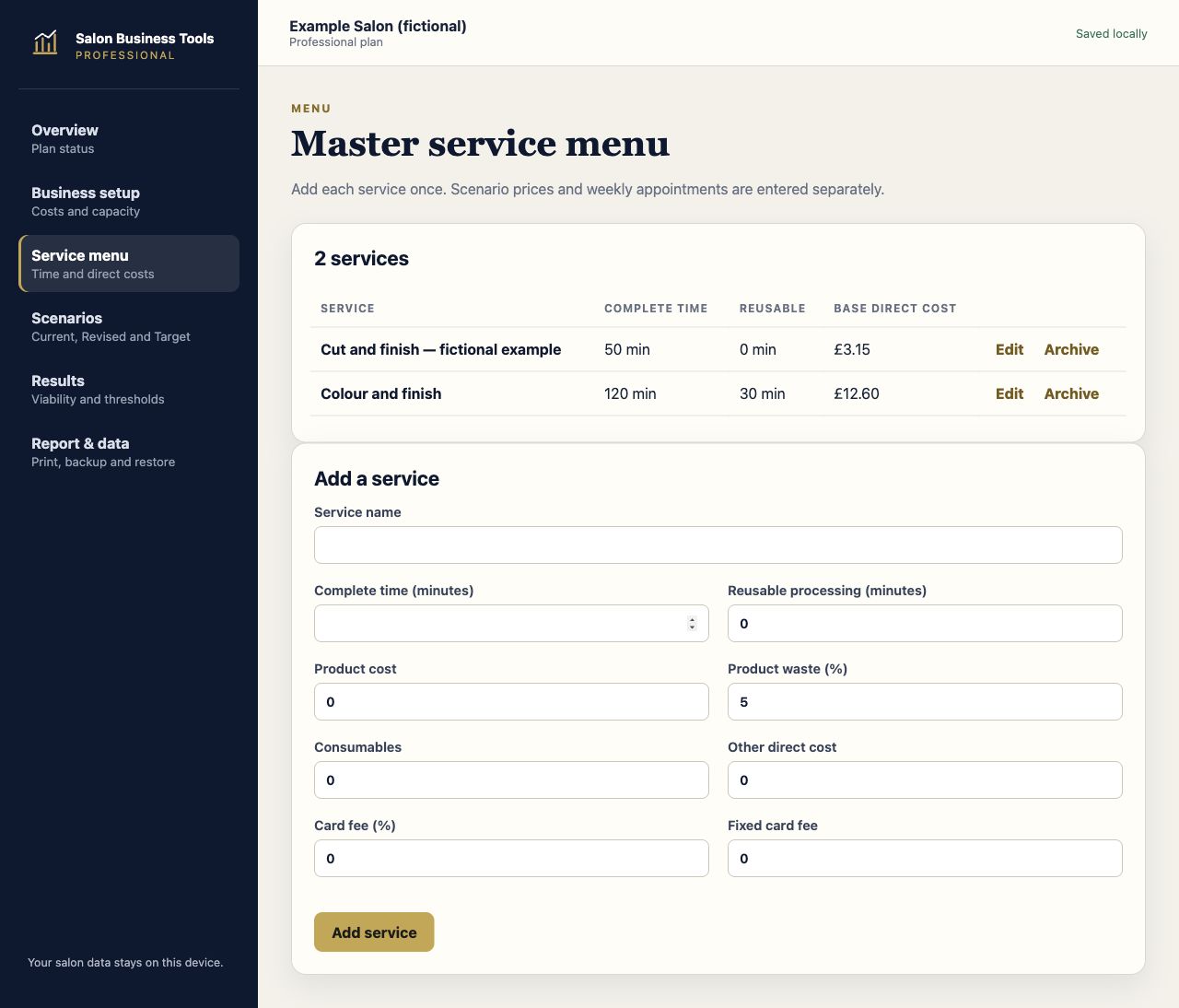
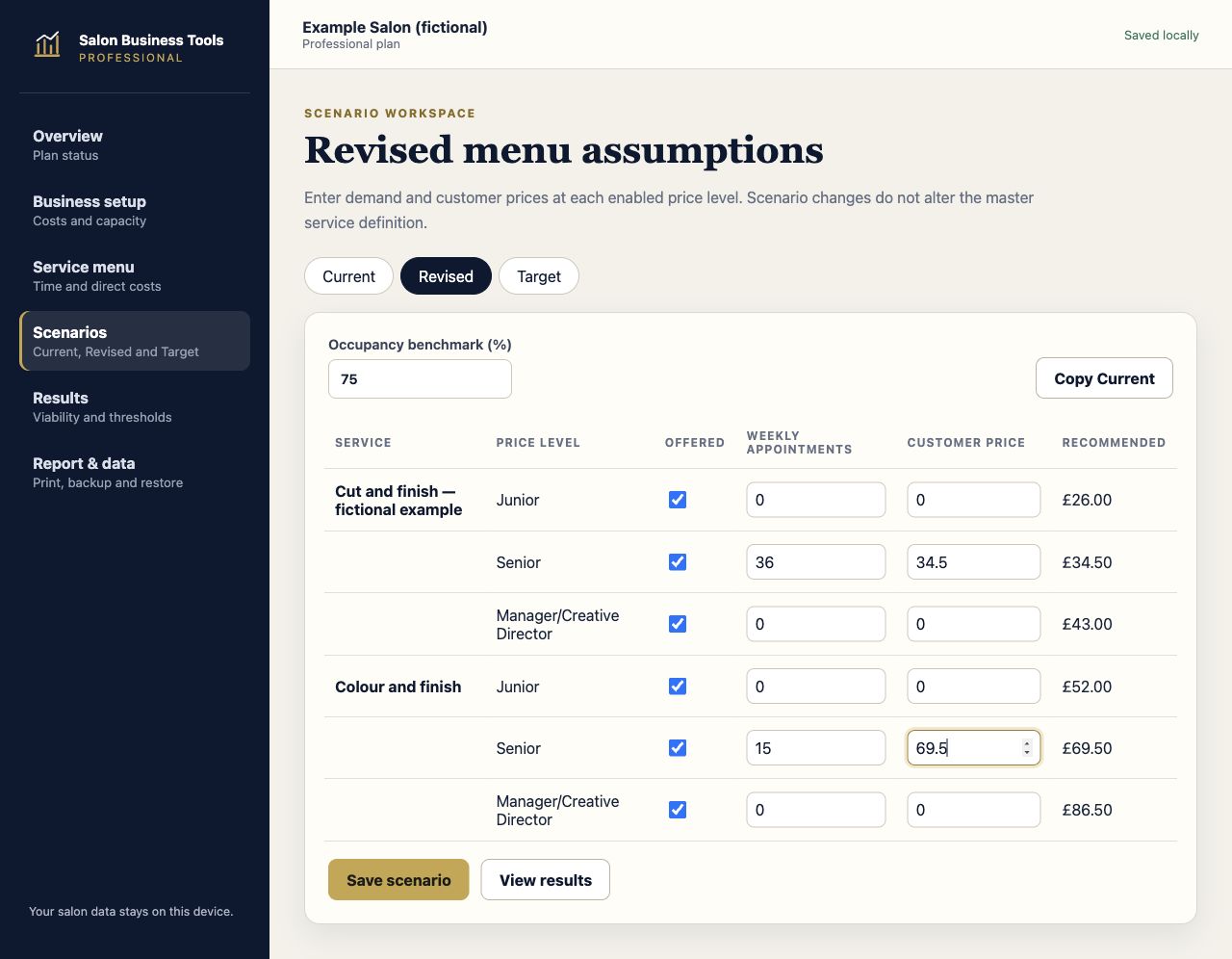
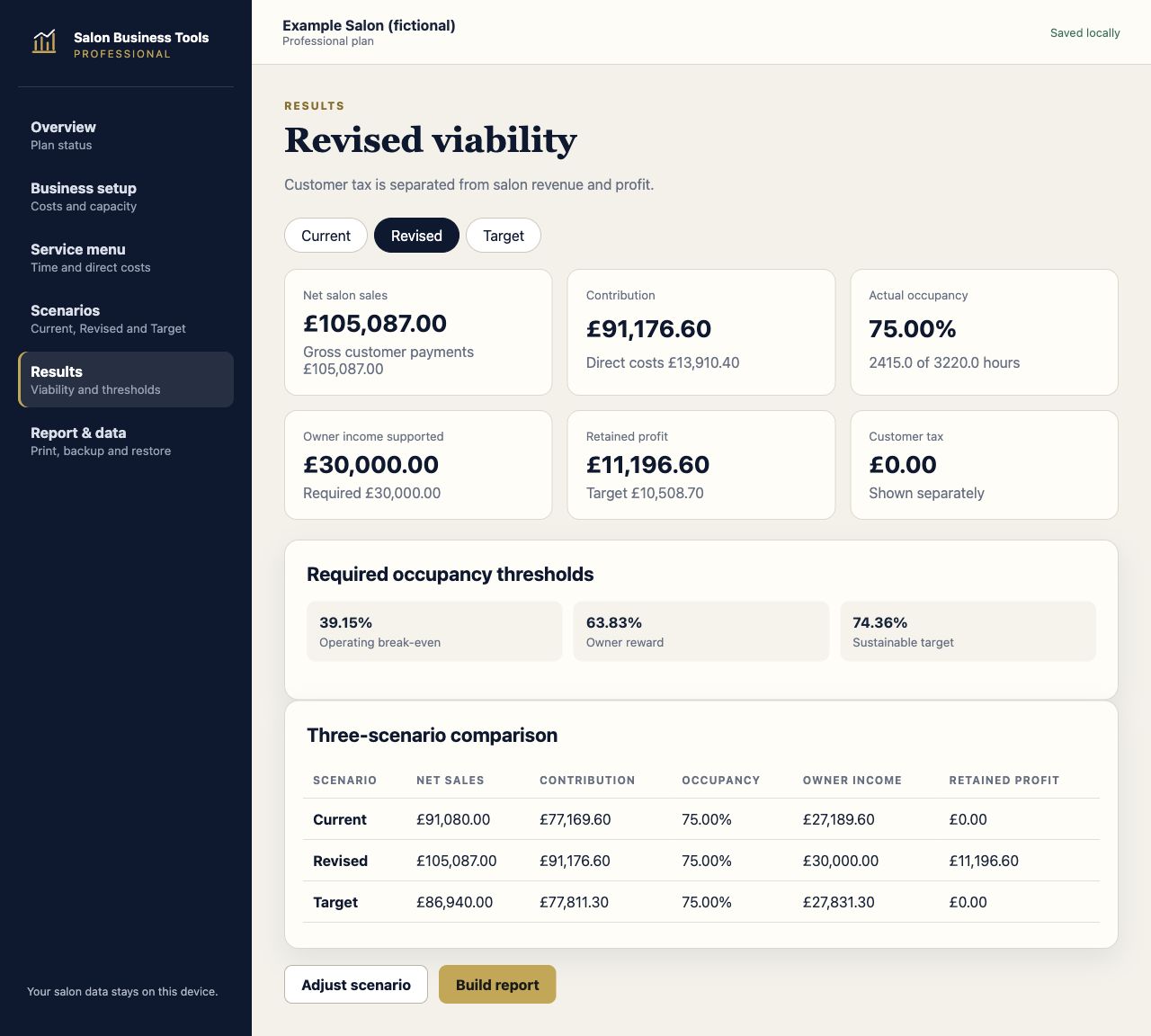
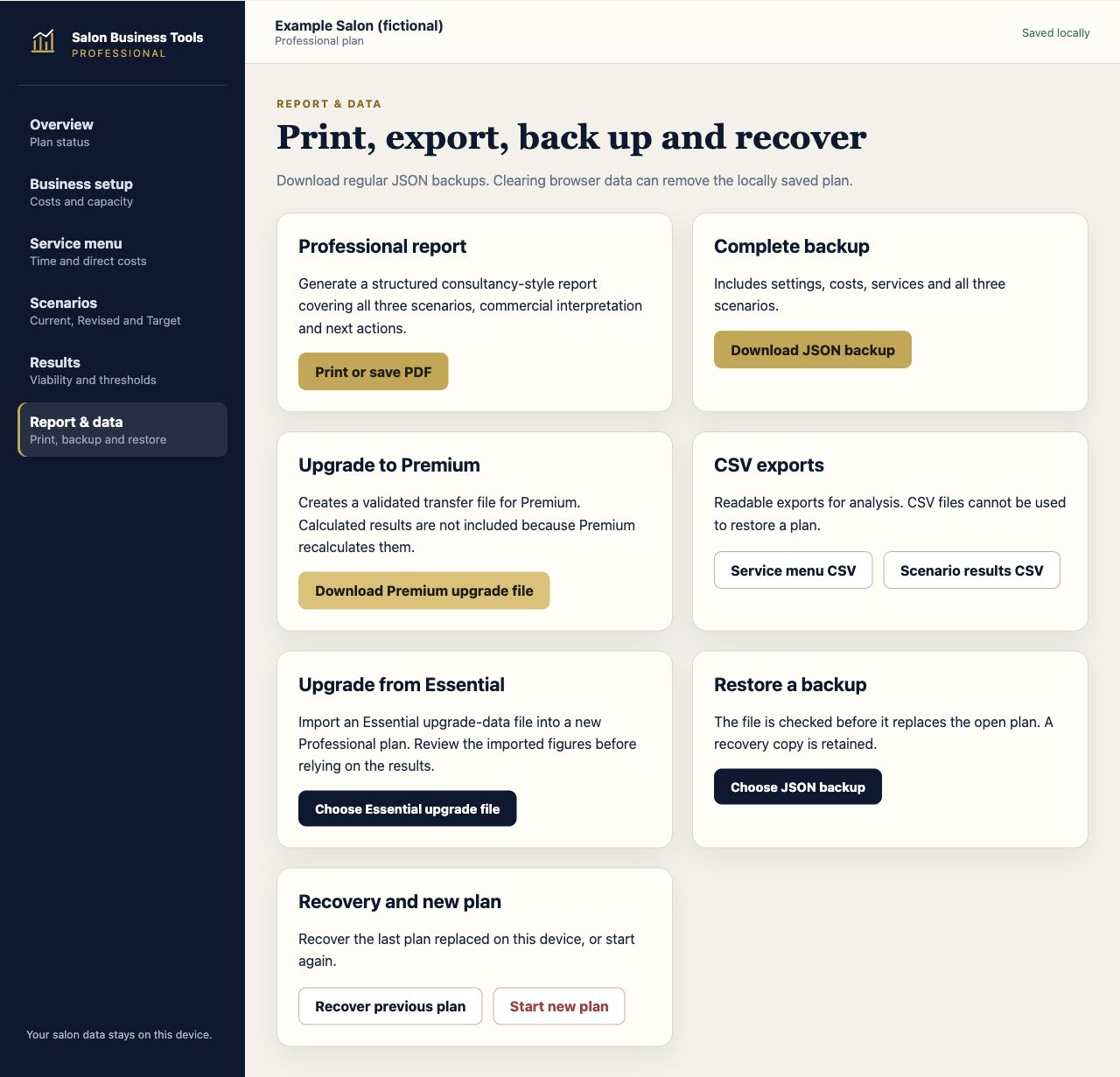
Scroll within a screenshot to see more, or open it at full size. The planner runs locally on a supported computer. Check the setup information and product questions below before buying.
Who Professional is for
Professional is designed for an independent salon with one location. It lets you build a reusable menu, plan expected appointments and see how price, service mix and occupied time combine at business level.
It suits the owner who wants to review a price rise before introducing it, identify high-volume services that are carrying too little contribution, or test whether the salon can support the owner’s required income and retained-profit target.
Record categories, services, price levels, complete appointment time, reusable time, product, waste, consumables and payment fees.
Bring together annual overheads, employee costs, owner income, contingency and retained-profit requirements.
Enter expected appointments and see the service and category shares of volume, occupied time, sales and contribution.
Compare demand with combined Junior, Senior and Manager/Creative Director capacity and identify any pricing-level breach.
Keep Current as the baseline, copy it into Revised and build a longer-term Target without changing the shared cost base.
See clearly whether a shortfall affects the owner-income requirement or the retained-profit target under the selected planning rule.
What it brings together
Professional moves beyond calculating isolated services. It shows how the menu performs in combination and whether planned demand fits the people-hours available.
The planner keeps customer tax separate, preserves full calculation precision and rounds only the menu recommendation upwards by the chosen increment.
A structured planning process
Set the shared business costs, capacity and service menu, then record realistic prices and expected appointment volumes.
Copy the current position and change prices or demand to see the effect on sales, occupancy, owner income and retained profit.
Model the intended longer-term position and compare the most important service, price, volume and capacity differences.
What the results show
Operating costs, owner income, contingency and retained profit shown in a fixed, understandable order.
Appointments, time, net sales, direct costs, contribution, current prices and calculated price gaps by service.
Available and used hours, actual occupancy, hours to target and warnings where a price level exceeds its capacity.
Current, Revised and Target appointments, sales, occupancy, owner income and retained profit with changes from the baseline.
Underpriced or high-volume problem services, unrealistic time or costs, capacity pressure and incomplete assumptions.
Scenario, comparison and menu reports, browser print/PDF, readable CSV exports and a complete JSON backup.
Included with Professional
Keep using the supplied Professional version. Maintenance and feature updates are included for 12 months under the supplied terms.
Twelve months of email support are included, with a target first response within three UK business days.
The open plan saves locally. Download JSON backups, restore a validated plan and export key tables as CSV.
90-day upgrade credit
Request the upgrade within 90 calendar days and receive credit for the £69.99 Professional purchase against Premium, subject to the supplied licence and upgrade terms.
Before you buy
No. It uses combined Junior, Senior and Manager/Creative Director capacity and an annual employee-cost total. Named staff, pay, rotas and commission belong in Premium.
No. Professional covers one business and one salon location. Premium covers one business with up to five owned and operated locations.
Yes. Professional includes the supported Essential upgrade-data route and can prepare upgrade data for Premium.
Professional has a separate Mac package. Saving, JSON backup and restore, and PDF printing have been tested on our Mac setup. Windows 10 and Windows 11 remain supported with current Microsoft Edge or Google Chrome.
Mac and Windows downloads are now included with purchases on Payhip and Etsy. Choose the package for your computer and read README-MAC.txt before launching. For setup help, email sales@salonbusinesstools.co.uk. iPhone and iPad are not covered by this Mac setup.
The Mac launcher requires Python 3 at /usr/bin/python3. Extract the ZIP, keep the entire folder together and double-click Start-Professional-Planner.command. Keep its Terminal window open while working. The planner opens locally at http://127.0.0.1:8002/ in your default browser. Press Control-C in Terminal when finished.
This is a local browser package, not a signed Mac installer. Keep using the same browser and local address. To move an existing plan, export a JSON backup from the previous copy, then use Report & data > Restore a backup. Keep regular separate backups. iPhone and iPad are not covered by this Mac setup.
The plan is stored locally in your browser. Regular downloaded backups are important because clearing browser data can remove locally saved work.
No. Professional is a planning aid. Results depend on the figures and assumptions entered and do not replace accounting, tax, legal, employment or regulated financial advice.
Professional · £69.99 one-off
Work locally with no subscription or customer account. Mac and Windows downloads are included. Choose the package for your operating system.
Check computer and setup requirements before buying.
Checkout on Payhip, download your files, then follow the included setup guide.